

THE KIA OVAL LAUNCHES NEW MOBILE TICKETING APP AHEAD OF THE 2026 SEASON.
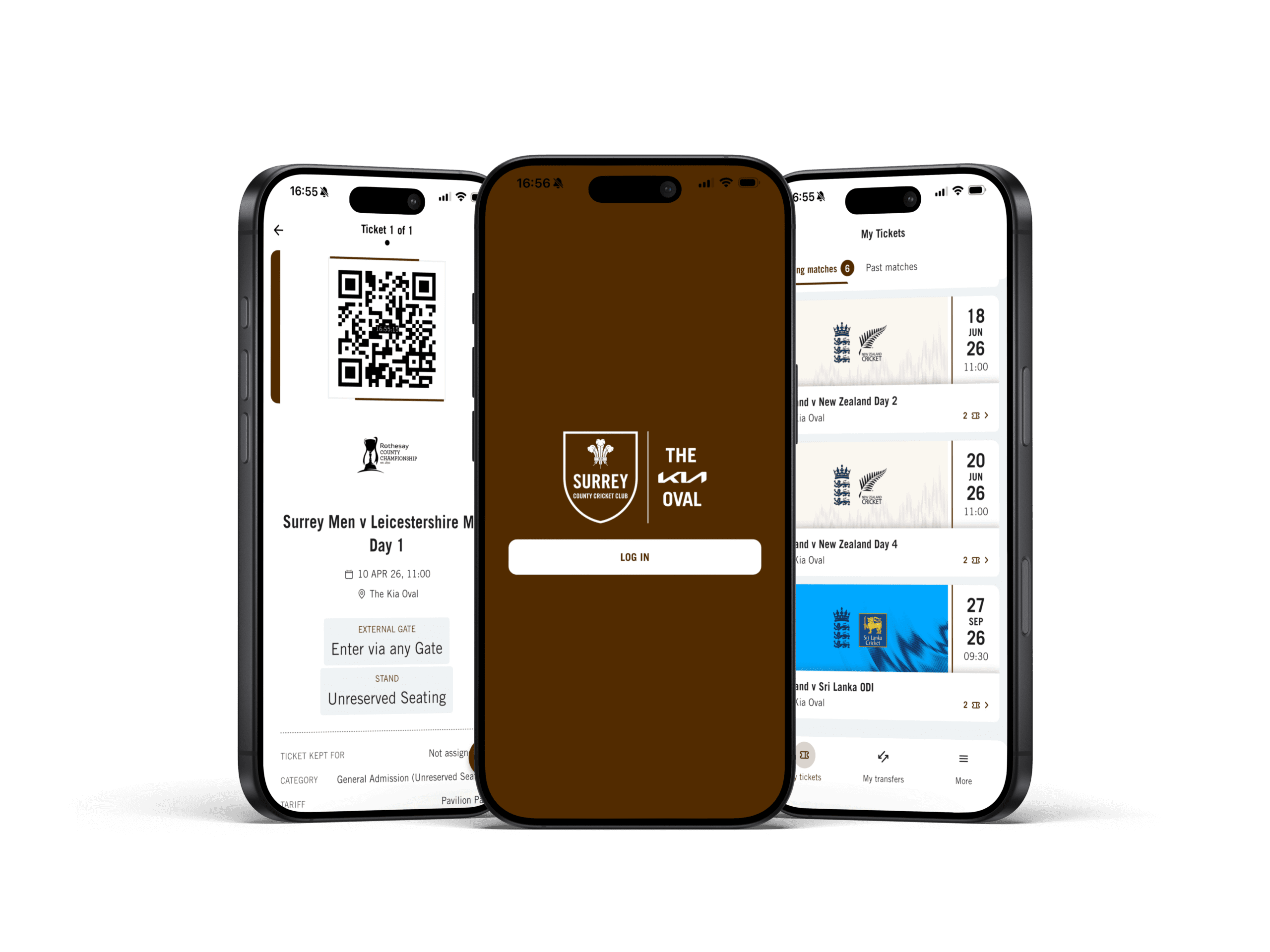
For 2026, there’s a brand-new mobile app to manage all your match-day tickets at the Kia Oval digitally.
After listening to extensive feedback from our Members and supporters, the new app is designed to deliver a much-improved mobile ticketing solution. This means everyone attending a Surrey or England matchday at the ground can easily manage their tickets right in the palm of their hand.
Please note, this is a completely new app, so the old Kia Oval app (white icon) will need to be removed from your device.
Some key features that have been improved:
- Improved login process that links directly to your Surrey Ticketing Account, meaning you do not need to create a new account or password.
- Greater information available to supporters on their digital tickets, including more accurate entrance, stand and category information on the ticket itself.
- Detailed event schedule on the ticket interface so supporters can check gate opening and start times of the match they are attending.
- Improved fraud-prevention technology so that access into the ground is more secure and tickets can not be screenshot and shared.
- Easier ticket transfer process at the click of a button. Supporters can transfer tickets directly to contacts within their address book, or by entering their email address.
Please note, this is a new app (Surrey brown icon) and the old app (white icon) must be removed from your device. No tickets will be available on the old app for the 2026 season.
To download the new Kia Oval Ticketing App and access your tickets, please click the buttons above, or follow the instructions below:
- Search ‘The Kia Oval’ on your respective Apple or Google Play Store.
- Download the app with the famous Surrey Brown-coloured icon.
- Click ‘Log In’ and follow the on-screen instructions by entering your email address associated with your Surrey Ticketing Account. It’s important to enter the same address that you would ordinarily use to purchase your tickets or Membership under.
- Enter the ‘Registration Code’ that is sent to your email address to activate your account on the app and follow any on-screen instructions to complete the ‘About You’ section with up to date personal details.
- Once saved, all tickets associated to the email addressed used to log in will appear in the app. Please note, ticket barcodes will be activated no earlier than 2 weeks prior to the matchday starting. If you have already assigned tickets within your ‘Friends and Family Network’ these will only be visible to the email account they have been assigned to.
- Double check that the old app (white icon) has been removed from your device.