
The Kia Oval Ticketing App
The Kia Oval Ticketing App
The Kia Oval Ticketing App
The Kia Oval Ticketing App
The Kia Oval Ticketing App
The Kia Oval Ticketing App
The Kia Oval Ticketing App
The Kia Oval Ticketing App
Download our mobile ticketing app, available for free on both iOS & Android devices.


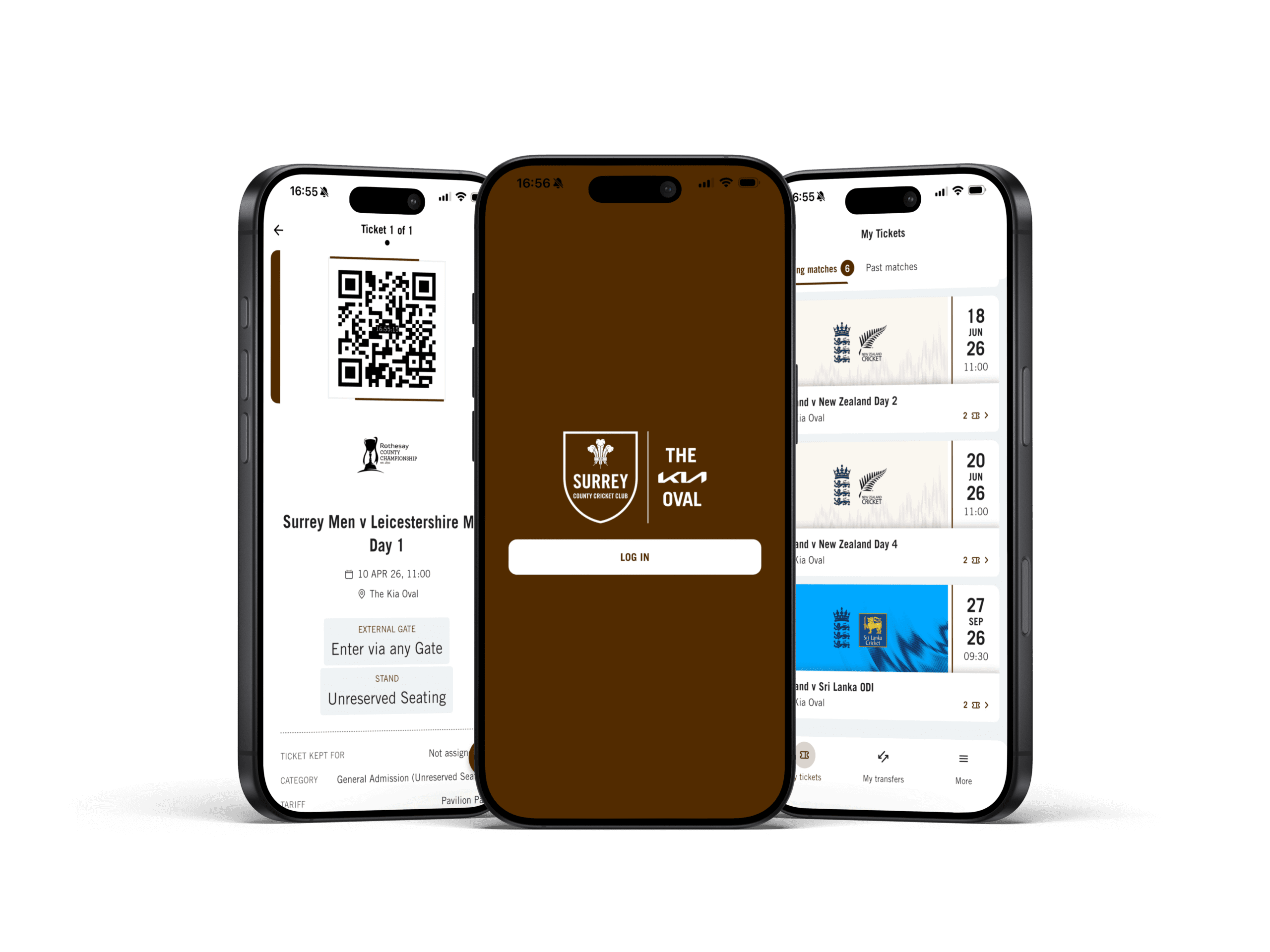
Fans' experience has been improved with the addition of a mobile ticketing solution, delivered through The Kia Oval App, with all tickets now securely delivered straight to the palm of your hand.
In order to access match day tickets, you will need to download the Kia Oval Ticketing App and log in to using the email address associated to your Surrey Ticketing Account. All tickets displayed on a mobile device contain dynamic fraud prevention technology, meaning that tickets can’t be screenshot or photographed. As well as being able to easily access tickets, you have the ability to share the tickets that you bought with the friends and family attending the cricket with you.
KEY FEATURES
The Kia Oval Ticketing App will act as your one-stop hub for managing your match day tickets for Surrey and England games our world-famous cricket ground.
FREQUENTLY ASKED QUESTIONS
Why has The Kia Oval moved to a mobile ticketing solution?
The Kia Oval have been operating digital ticketing for a number of years now, as it offers the safest and most convenient way to receive your match day tickets. New for the 2026 season, our mobile app solution does all of the above, whilst also improving your user experience and ability to easily share your tickets with your friends and family.
When will I be able to see my ticket in The Kia Oval App?
As soon as your tickets have been purchased, and you are logged into your Surrey Ticketing Account on the app, you will be able to view your purchased tickets. You do not need to print these tickets, and will be able to enter the ground by scanning the mobile ticket on your phone. All barcodes for tickets will appear on the app no earlier than 2 weeks prior to the match day.
How do I share other tickets that I have bought to my friends?
- Once you have logged into the app using your Surrey Ticketing Account email address, click on ‘My Transfers’.
- Either select the ticket, or click the brown arrow icon in the bottom right of your screen.
- Complete the details on the page to confirm your transfer. You will need to select the relevant ticket and input your guests’ details, including email address and any message you may wish to pass on. You may also connect your app to your contact list and select the person you wish to transfer your ticket to directly from your contacts.
- Click ‘Transfer’.
- You are able to manage all tickets through the original ‘My Transfer’ tab on the screen.
I have re-assigned tickets to someone in my 'Friends and Family' network, but they can't see them in the app?
If you have already assigned tickets within your ‘Friends and Family Network’ these will only be visible to the email account they have been assigned to and not the original purchaser of the ticket.
Someone has shared a ticket with me, how do I access it?
In order to download a ticket shared with you, you will need to download the Kia Oval Ticketing App and log in using the email address that the ticket was shared to.
Do I have to share my tickets, or can I have multiple tickets on a single device?
For safety and speed-of-entry, the Club and Venue strongly recommend that all tickets are transferred onto individual devices.
What do I do if I don't have a smartphone?
The default way to access tickets at the Kia Oval is through the new Ticketing App, however, mobile ticketing is not the only way to access your tickets. Your tickets can still be printed at home, as per the last few seasons, through your Surrey Ticketing Account on browser. If you require any advice on alternative ways to access your, please contact the Member and Supporter Services team on tickets@surreycricket.com.